AI renders for architects

Best 8 AI render tools for architects in 2026

In this page, I analyzed the features list and pricing of major AI tools for architects. From Midjourney, ChatGPT and Nano Banana pro to more architecture-specific like LookX AI, Veras, ArchiVinci and mnml ai

This page helps you decide what to choose for architects in 2026, what works better and for which task.

TL;DR

Rendervi is best when your job is specific ArchViz tasks in the different stages such as idiation or postproduction where you need to enhance your renders and preserve the design. The generic models like Midjourney are often better for ideation or low-cost experimentation. Niche architecture AI tools could be a great fit if you already know how to write prompts and what AI model you need to choose for different task (Rendervi does it in the background)

ToolUse it whenArchitect's catchPricePage
RenderviYou want to upload a model screenshot or render and get a controlled result without choosing the AI model or writing the full prompt yourself. Presets, asset libraries, targeted edits, and video stay in the same project workflow.Focusing on architecture vsualization, animation and render consistency for AI use in real practice36 free credits; paid plan starts at 12.99$/monthStart creating
Nano BananaLow-cost image generation and editing through an API or custom internal tool.Strong results depend on good prompting and careful review because architectural details can drift. It is most useful when you are comfortable building your own workflow.API image output starts around $0.03-$0.07 for a 1K image, depending on the Nano Banana model.Read comparison
ChatGPTDiscussing a design, analyzing references, drafting prompts, and generating or editing a few images.The general-purpose workflow can alter architectural details and lacks a focused path through masking, animation, upscaling, and consistent project iterations.Free tier available; ChatGPT Plus is $20/month, with higher tiers for larger limits.Read comparison
MidjourneyConcept images, atmosphere, style exploration, retexturing, and short image-to-video clips.Keeping a self-designed space consistent across iterations takes significant prompting and review, making quick, faithful photorealistic renders harder.Plans run from $10 to $120/month; private Stealth mode is limited to Pro and Mega.Read comparison
GeminiConversational image edits, reference research, file analysis, and short videos inside Google's ecosystem.You manage prompts and iterations yourself; there are no architecture templates, project presets, or material-library workflow.Free access is available; Google AI subscriptions increase image, model, and video limits.Read comparison
LookX AICustom-model training, architecture ideation, prompt assistance, real-time generation, plugins, and video.More model, style, and prompt decisions remain with the user; Rendervi provides a more guided production path.Free plan available; individual is $20/month and the five-seat team plan is $269/month.Read comparison
VerasPlugin-based ideation from model views, geometry control, selected-area rerenders, and same-seed variations.Its main advantage is the authoring-tool connection; browser-first post-production and project organization are less central.30 renders and 15 days free; $59 monthly or $29/month when billed annually per named seat.Read comparison
ArchiVinciMany architecture modules and several image models inside one browser-based product.There are more modules, coins, and model choices to navigate; Rendervi is more guided around a repeatable project workflow.3 free renders; subscriptions start at $39/week or $79/month, with annual and one-time options.Read comparison
mnml.aiWide workflow coverage, style exploration, render enhancement up to 8K, and image animation.The larger tool catalog offers more choice, though it may feel less focused if you mainly need a direct path to a controlled final render.Starts at $29/month for 100 renders.Read comparison

Detailed comparisons

Choose the right tool for your workflow

Take a closer look at how each tool fits architectural rendering. Each card highlights where the tool works well and what to consider before adding it to your workflow.

Image model / API

Nano Banana

A fast, affordable image model for teams that want to build their own rendering workflow around it.

Use it when
Low-cost image generation and editing through an API or custom internal tool.
Architect's catch
Strong results depend on good prompting and careful review because architectural details can drift. It is most useful when you are comfortable building your own workflow.
Price
API image output starts around $0.03-$0.07 for a 1K image, depending on the Nano Banana model.
General AI assistant

ChatGPT

Strong image quality inside a versatile research and ideation assistant, but not a dedicated architectural rendering workflow.

Use it when
Discussing a design, analyzing references, drafting prompts, and generating or editing a few images.
Architect's catch
The general-purpose workflow can alter architectural details and lacks a focused path through masking, animation, upscaling, and consistent project iterations.
Price
Free tier available; ChatGPT Plus is $20/month, with higher tiers for larger limits.
Creative image + video studio

Midjourney

Excellent for concept generation, atmosphere, and striking one-off visuals, especially early in the design process.

Use it when
Concept images, atmosphere, style exploration, retexturing, and short image-to-video clips.
Architect's catch
Keeping a self-designed space consistent across iterations takes significant prompting and review, making quick, faithful photorealistic renders harder.
Price
Plans run from $10 to $120/month; private Stealth mode is limited to Pro and Mega.
General AI assistant

Gemini

A convenient chat workspace for Nano Banana images, files, research, and Veo video. Useful for exploration, not a managed ArchViz pipeline.

Use it when
Conversational image edits, reference research, file analysis, and short videos inside Google's ecosystem.
Architect's catch
You manage prompts and iterations yourself; there are no architecture templates, project presets, or material-library workflow.
Price
Free access is available; Google AI subscriptions increase image, model, and video limits.
Architecture AI platform

LookX AI

A real architecture AI platform, especially useful when you want custom style models or SketchUp and Rhino plugins.

Use it when
Custom-model training, architecture ideation, prompt assistance, real-time generation, plugins, and video.
Architect's catch
More model, style, and prompt decisions remain with the user; Rendervi provides a more guided production path.
Price
Free plan available; individual is $20/month and the five-seat team plan is $269/month.
BIM/CAD plugin + web app

Veras

The strongest choice when AI visualization should stay inside Revit, SketchUp, Rhino, Archicad, or Vectorworks during design.

Use it when
Plugin-based ideation from model views, geometry control, selected-area rerenders, and same-seed variations.
Architect's catch
Its main advantage is the authoring-tool connection; browser-first post-production and project organization are less central.
Price
30 renders and 15 days free; $59 monthly or $29/month when billed annually per named seat.
Architecture AI toolbox

ArchiVinci

A broad browser-based toolbox with geometry-aware renders, floor plans, editing, multiple image models, and video.

Use it when
Many architecture modules and several image models inside one browser-based product.
Architect's catch
There are more modules, coins, and model choices to navigate; Rendervi is more guided around a repeatable project workflow.
Price
3 free renders; subscriptions start at $39/week or $79/month, with annual and one-time options.
Architecture AI suite

mnml.ai

A broad AI suite for architects and interior designers, with tools spanning concepts, renders, enhancement, and animation.

Use it when
Wide workflow coverage, style exploration, render enhancement up to 8K, and image animation.
Architect's catch
The larger tool catalog offers more choice, though it may feel less focused if you mainly need a direct path to a controlled final render.
Price
Starts at $29/month for 100 renders.

Quick workflow

From image to render in three steps

01

Upload your image

Start from a model screenshot, viewport, base render, or finished visual.

02

Choose a template

Pick the template that matches what the image needs next or write a prompt.

03

Produce render

Generate an AI render while keeping the project grounded in your design.

Get access

Render your models in minutes, instead of days

Rendervi is designed for studios, designers, and marketing teams that need a faster path from a raw model to a strong, precise final image. Save time and focus on what matters most: design.

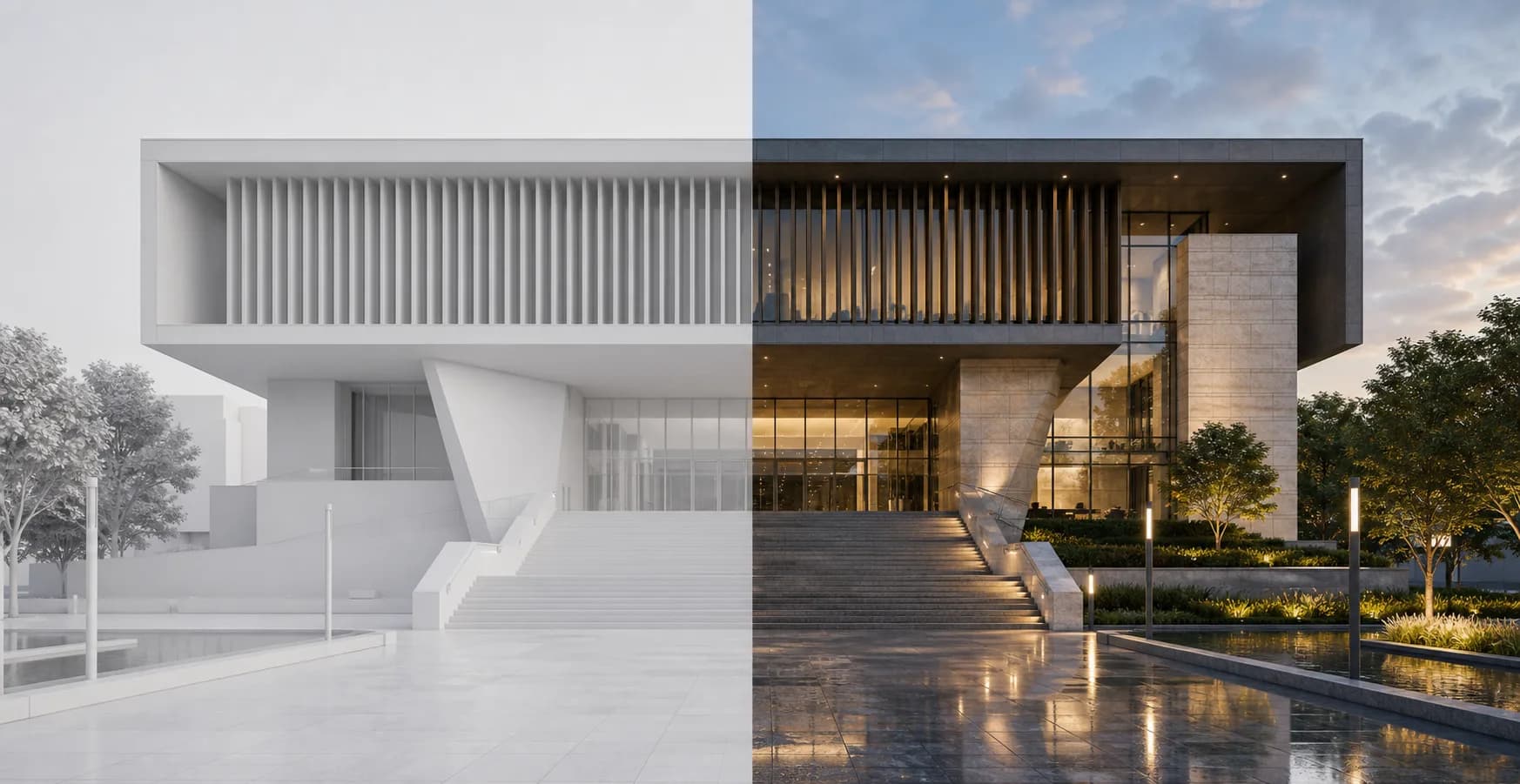
Modern public building shown as a clay render and finished architectural render