Quick comparison
Rendervi vs Gemini: what changes in daily work
| Decision point | Rendervi | Gemini |
|---|---|---|
| Main fit | Architecture-first render studio for project images, modes, edits, history, and presets. | Conversational image edits, reference research, file analysis, and short videos inside Google's ecosystem. |
| Architecture control | Built to preserve source composition, design intent, and real project context. | Medium fit. You manage prompts and iterations yourself; there are no architecture templates, project presets, or material-library workflow. |
| Consistency | Saved presets can carry materials, atmosphere, site cues, and visual direction across views. | Medium fit for repeatable same-project output. |
| Edits and polish | Render, Preset, Environment, Photo-Realism, Edit, and Upscale workflows are built into the product. | Medium fit for controlled architecture revisions. |
| Starting price | 10 free renders; $12.99/month for 50-150 renders. | From about $0.039 / image |
Where Gemini really wins
Conversational image edits, reference research, file analysis, and short videos inside Google's ecosystem.
- You want API access and plan to build your own internal render workflows.
- You care about multimodal developer tooling beyond rendering alone.
- You want low-level control over how the model gets used in your stack.
Where Rendervi is the better fit
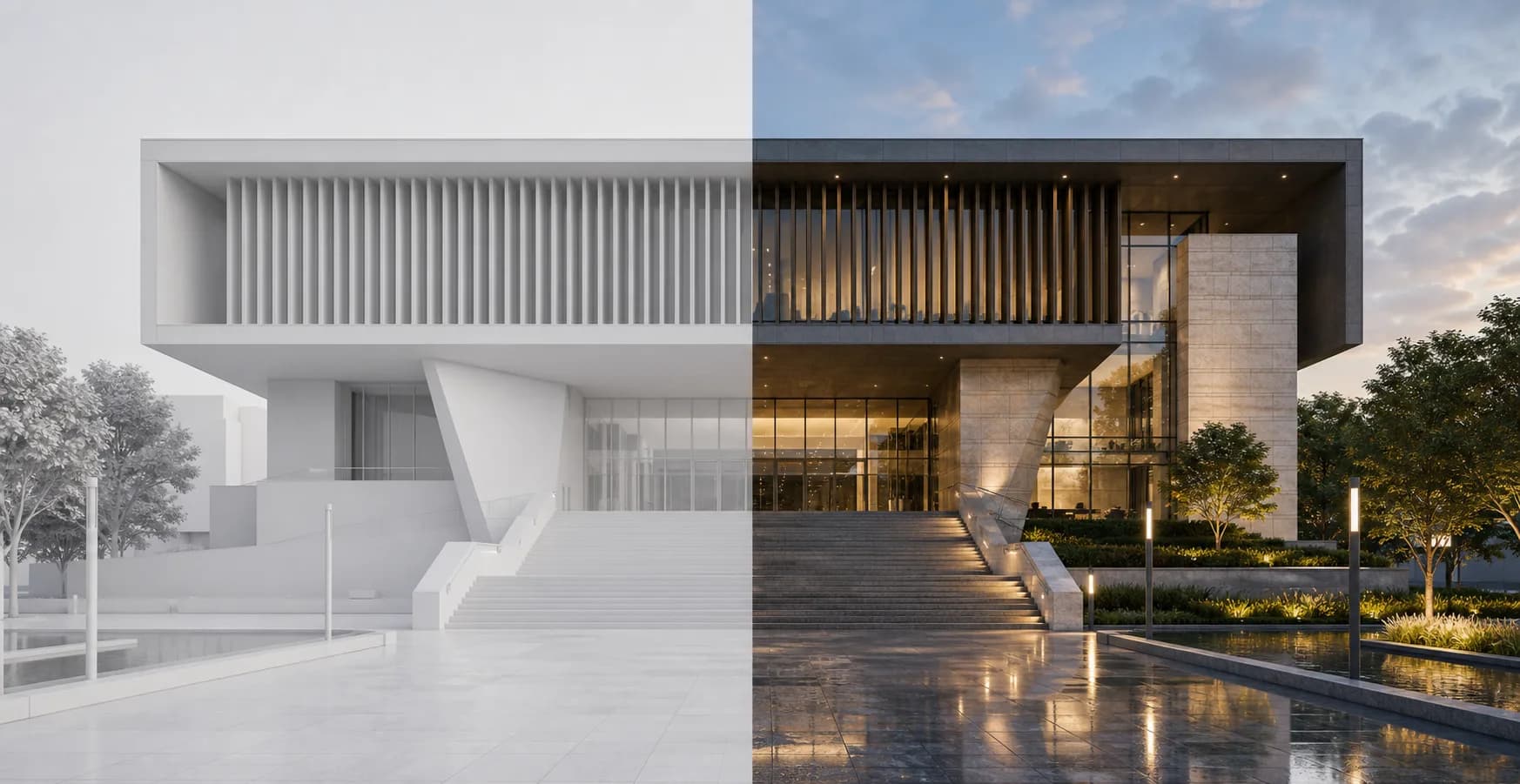
Rendervi is built for architects who already have a model view, plan, draft render, or approved image and need to move toward a cleaner presentation visual without losing control of the design.
- You want the shortest route to precise architectural visuals.
- You do not want to assemble your own product around a general model stack.
- You want architecture-specific render modes and edit workflows out of the box.
Features for architects
Architecture feature checklist
| Feature | Rendervi | Gemini |
|---|---|---|
| Material change | Yes | PartialPossible with prompting |
| Saved visual presets | Yes | No |
| Inpainting / local edits | Yes | PartialModel-level editing |
| Project history | Yes | No |
| Architecture render modes | Yes | No |
| Environment controls | Yes | No |
| Photo-realism workflow | Yes | PartialPrompted manually |
| Video generation | YesImage-to-video | YesVeo image-to-video |
| Upscale | Yes2K / 4K | No |
| Team workspaces | Yes | PartialDepends on Google workspace setup |
| Starting price | 10 free renders; $12.99/month for 50-150 renders | API usage-based |
| Free trial | Yes10 free renders | Free tier / limits vary |
FAQ
Questions before you choose a tool
Practical answers for architecture teams deciding between a broad image tool and a render workflow built around production.
Is Gemini better than Rendervi for a technical team?
It can be better if your goal is to build internal tools on top of the API. For most architecture teams, though, Rendervi is faster to adopt because the workflow is already shaped around the job.
Why compare Gemini and Nano Banana separately?
Gemini is the wider platform and product ecosystem. Nano Banana refers to the image model itself, which matters when teams are comparing a raw model against a finished architecture tool.
What makes Rendervi different from a generic AI image generator?
Rendervi is organized around architecture projects, not one-off prompts. It keeps image history, supports local edits, offers render modes, and lets teams save visual presets so materials, atmosphere, and project identity can carry across future views.
Can Rendervi keep multiple views of the same project consistent?
Yes. Rendervi presets are built for consistency across camera angles. A saved preset stores material direction, lighting, weather, vegetation, people strategy, and recurring visual cues so another project view can reuse the same direction without starting from scratch.
Does Rendervi support controlled edits after the first render?
Yes. Rendervi supports local area editing for changes such as facade materials, small composition fixes, object removal, or adding a detail while keeping the rest of the image stable.
Which Rendervi modes matter most when comparing tools?
The core modes are Render for polishing a model view, Preset for matching an approved visual direction, Environment for site context, Photo-Realism for final polish, Edit for targeted changes, Image-to-Video for motion output, and Upscale for higher-resolution presentation output.
Best fit summary
If your team mainly wants precise architectural renders, cleaner consistency, and a faster route from approved inputs to usable output, Rendervi is usually the better product choice. If you care more about conversational image edits, reference research, file analysis, and short videos inside google's ecosystem. Gemini may be the stronger option for that specific job.