How to Improve Lighting in Architectural Renders Without Re-Rendering
June 25, 2026
You can have the right textures, the right composition, and still get a render that feels flat. Light is often the missing layer: it tells the eye where to look, reveals material depth, and gives the architecture a mood before anyone reads the details.
Short answer
If an architectural render looks boring, check the light before you rebuild the scene. Better lighting can change the first read of the image, add depth, reveal materials, and make the architecture feel intentional. With Rendervi Light Upgrade, you can upload an existing render, choose a mood template, and test a new light direction without rendering the whole project again.
Why light changes the image first
People understand images very quickly. MIT neuroscientists found that the brain can identify images seen for as little as 13 milliseconds. That does not mean a client understands your whole design in 13 milliseconds, of course. But it does mean the first read matters.
Light is one of the fastest ways to shape that first read. A clear visual hierarchy guides attention through contrast, color, scale, and grouping, as Nielsen Norman Group explains in its overview of visual hierarchy. In a render, light creates much of that hierarchy. The brighter path, the warmer window, the shadow edge on a wall, the sky behind the roofline: this is where the eye goes first.
This is also why good materials can still look bad. Chaos notes that in 3D rendering, light bounces, shadows, and material response all work together. If the scene is too flat, the render may technically show the design but still fail to sell the atmosphere.
What bad light does to a good render
Bad light is not always dramatic. Sometimes it is just too even. Everything is visible, but nothing is important.
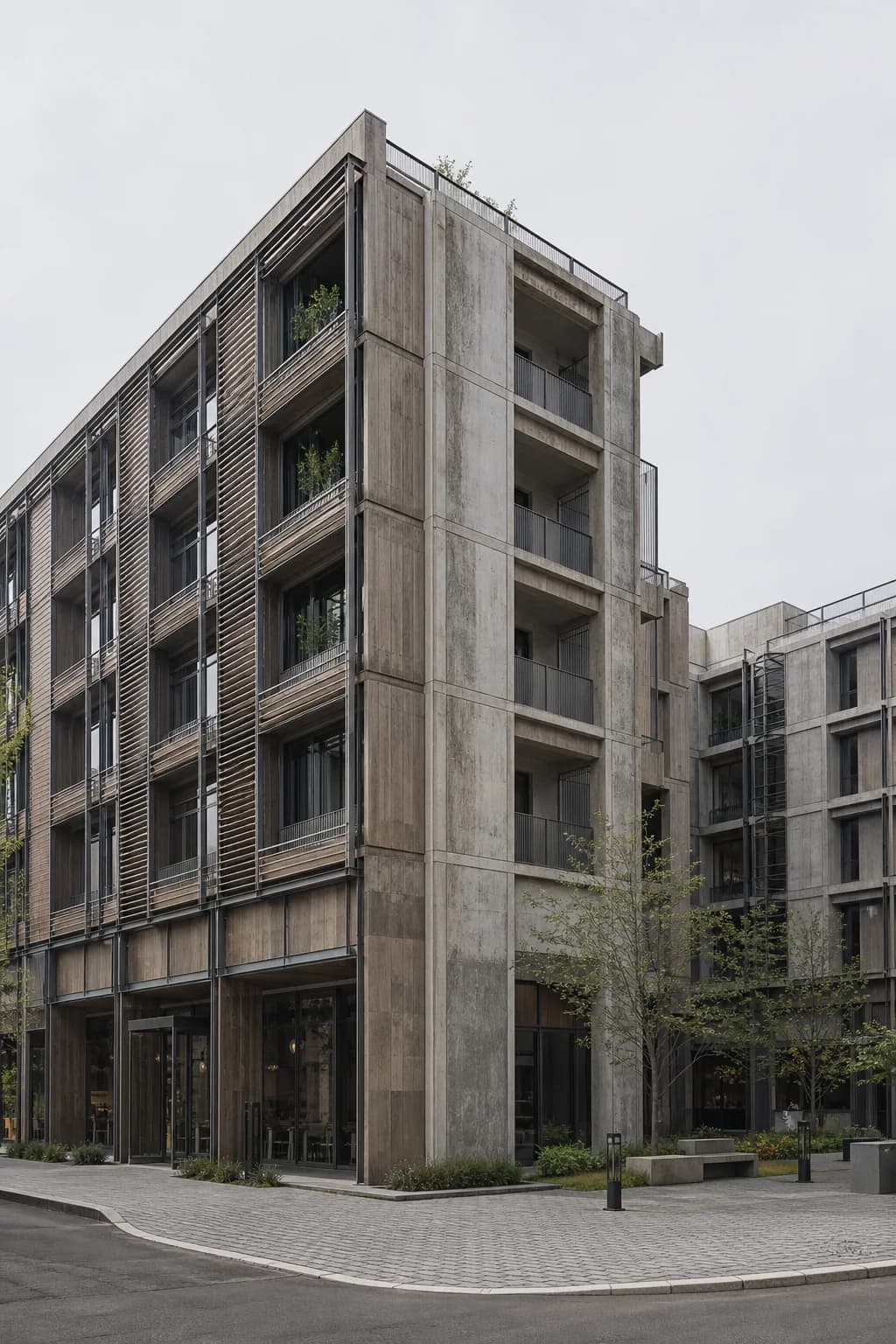
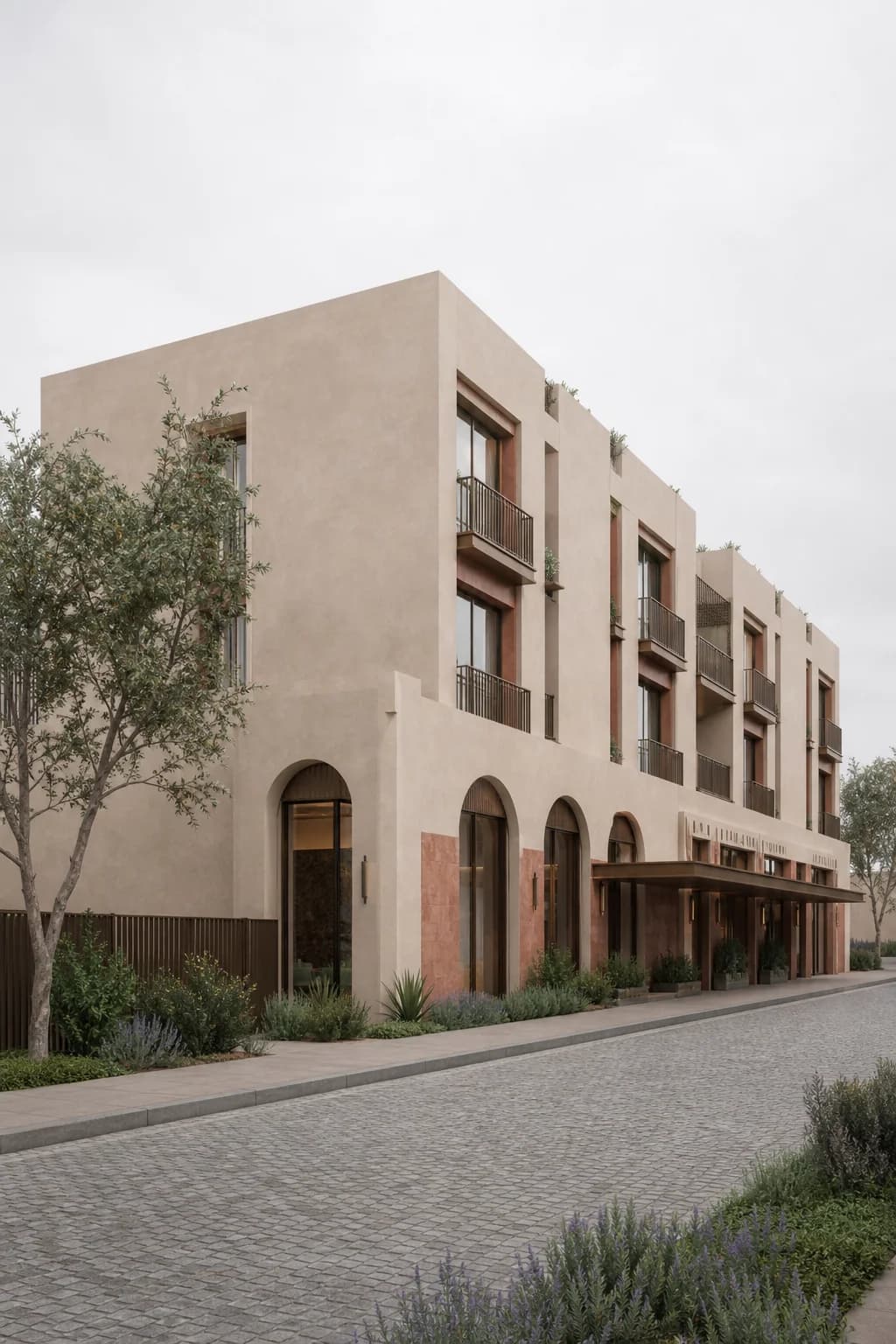
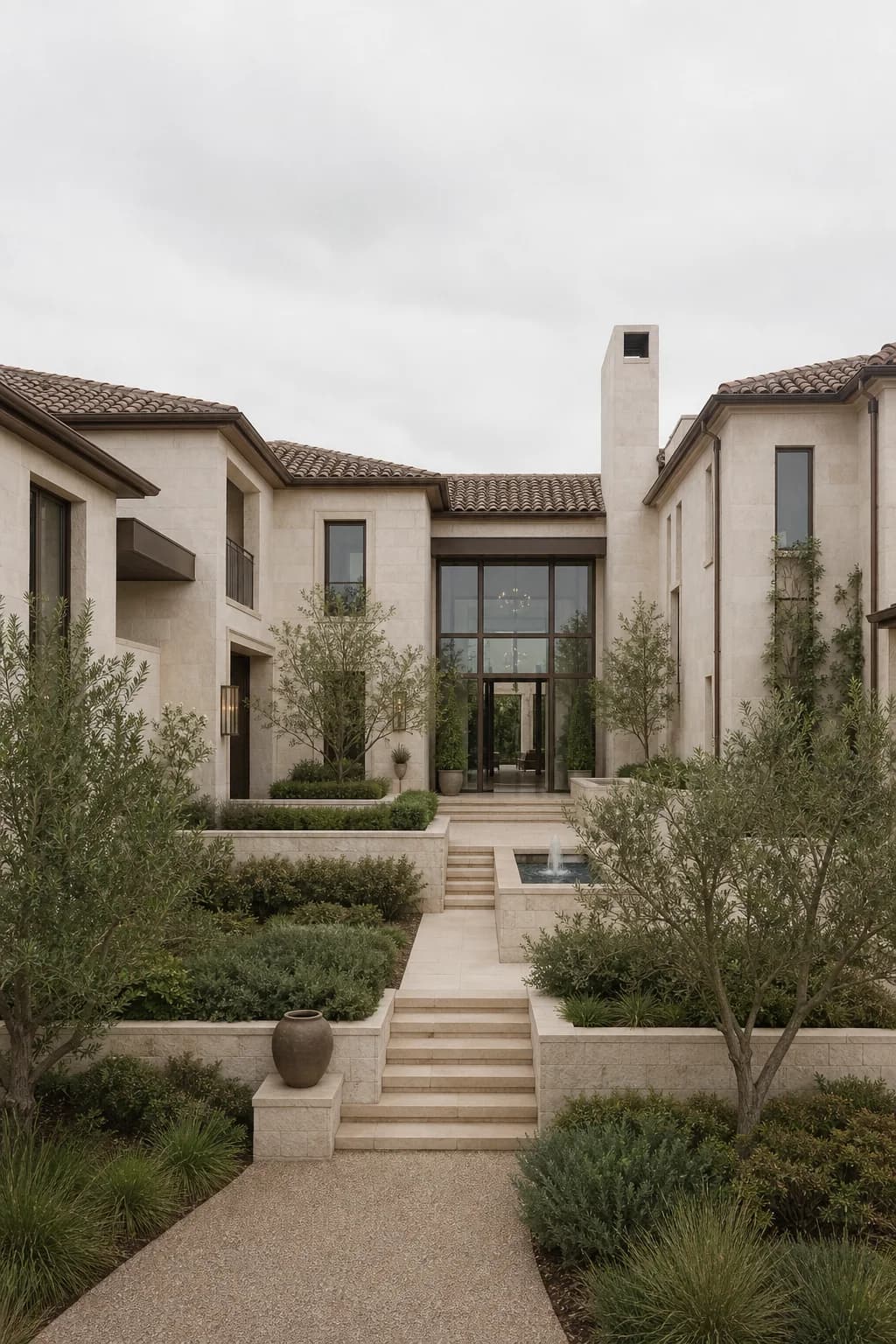
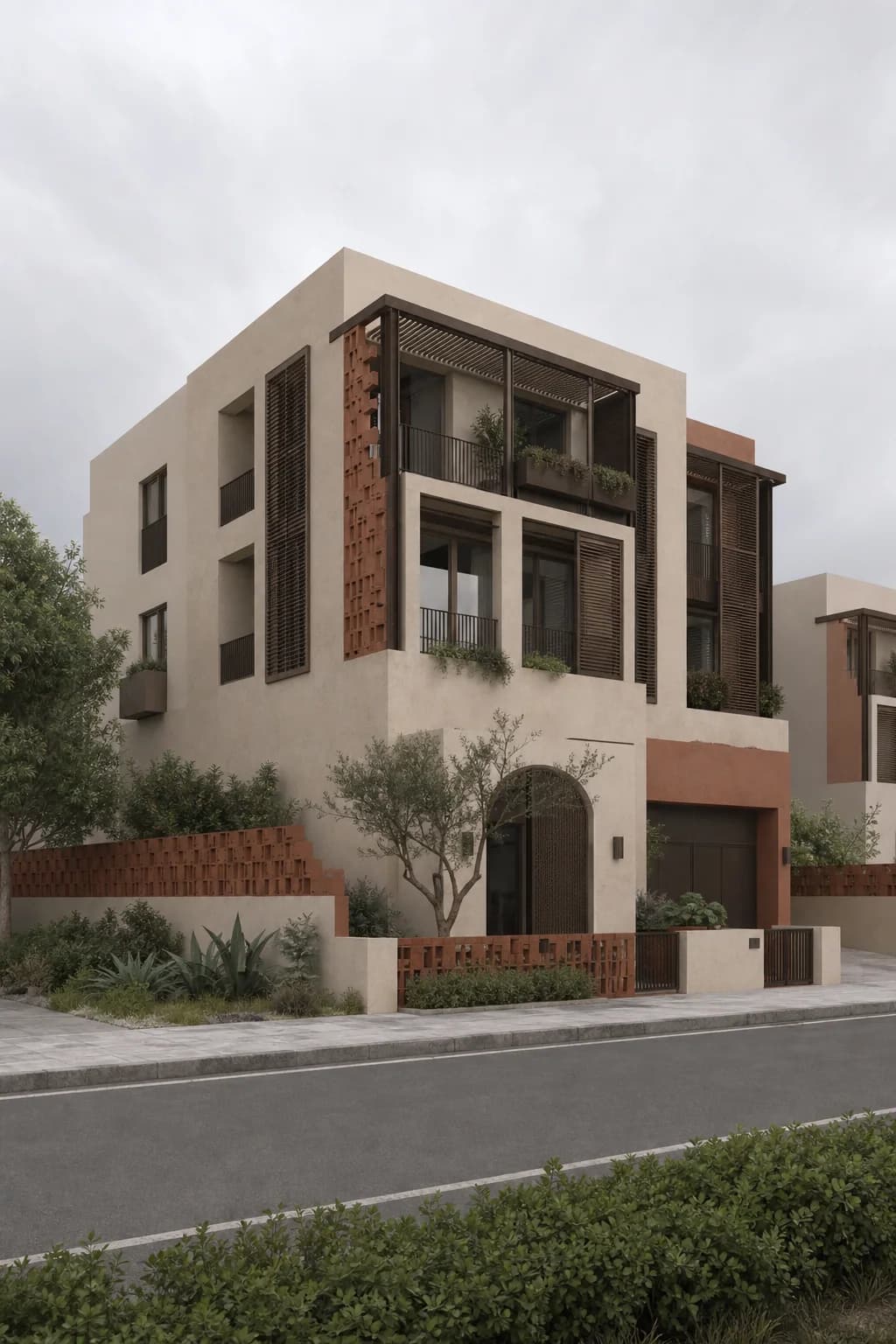
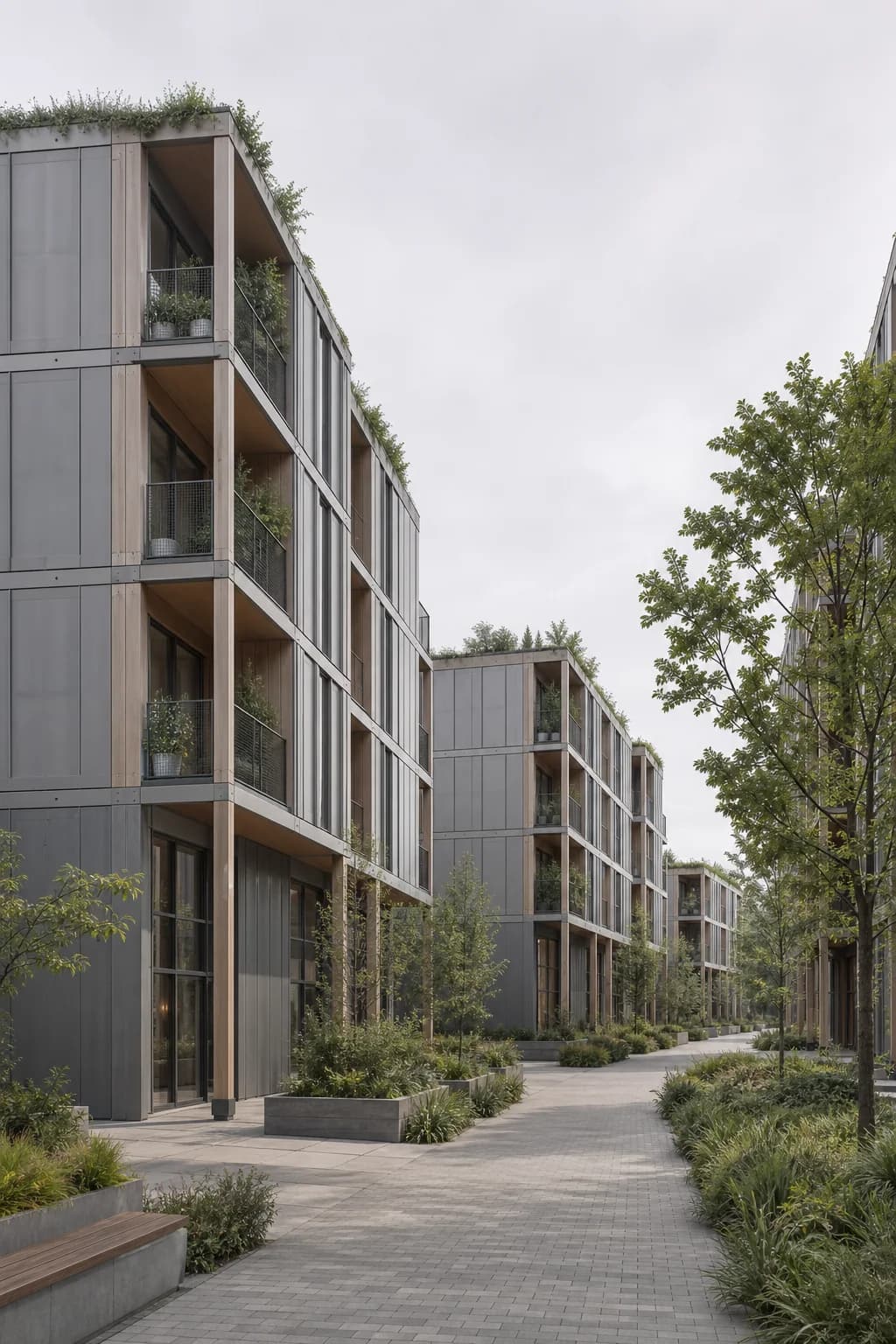
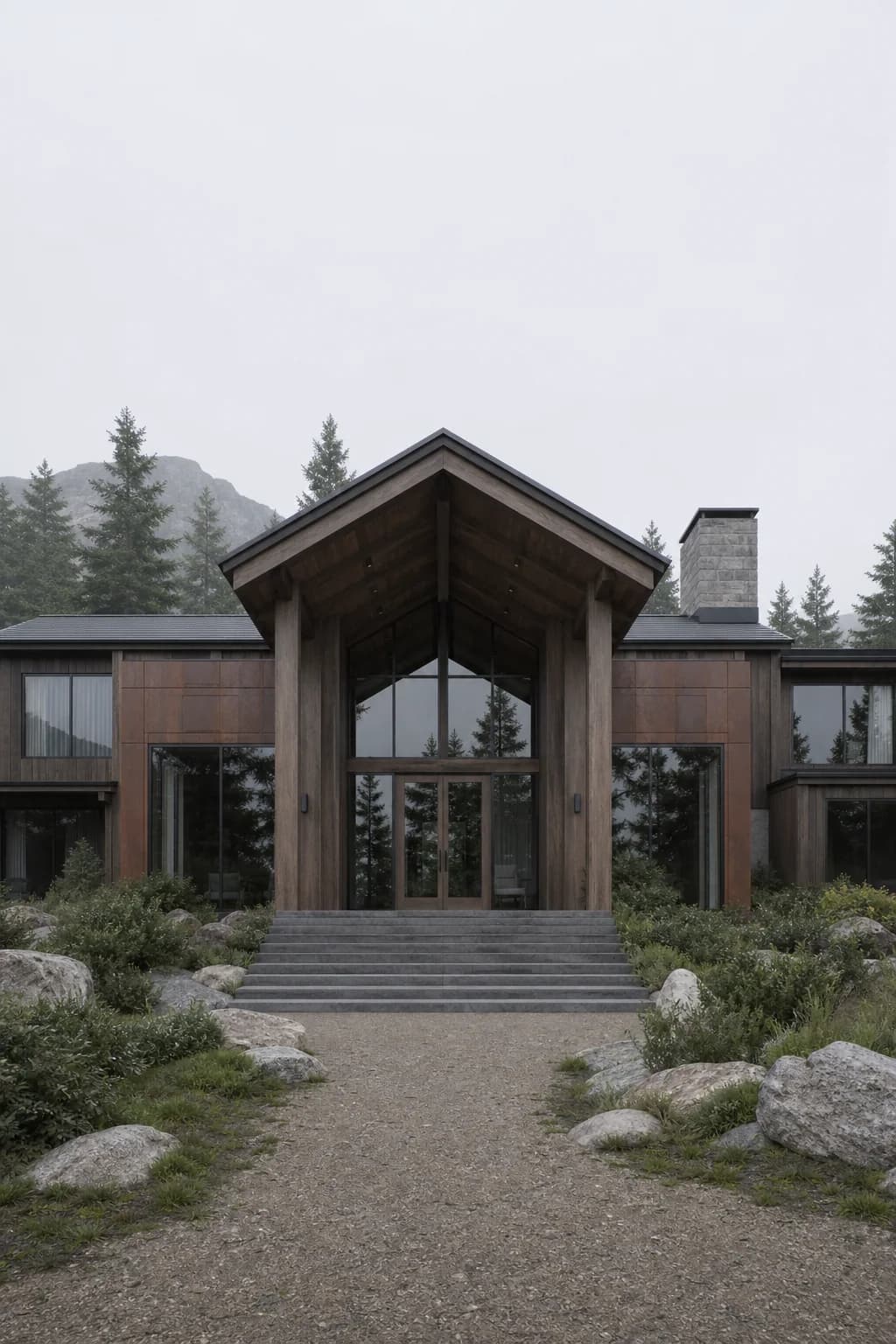
- Flat overcast light can make the facade, sky, and foreground feel like one tone.
- Wrong exposure can hide the entrance, glazing, or the path you wanted people to notice.
- Black shadows can remove useful detail from balconies, soffits, plants, and interiors.
- Cool light on warm materials can make brick, plaster, timber, and stone feel less real.
- No window glow can make a residential or hospitality render feel empty.
Before and after lighting examples
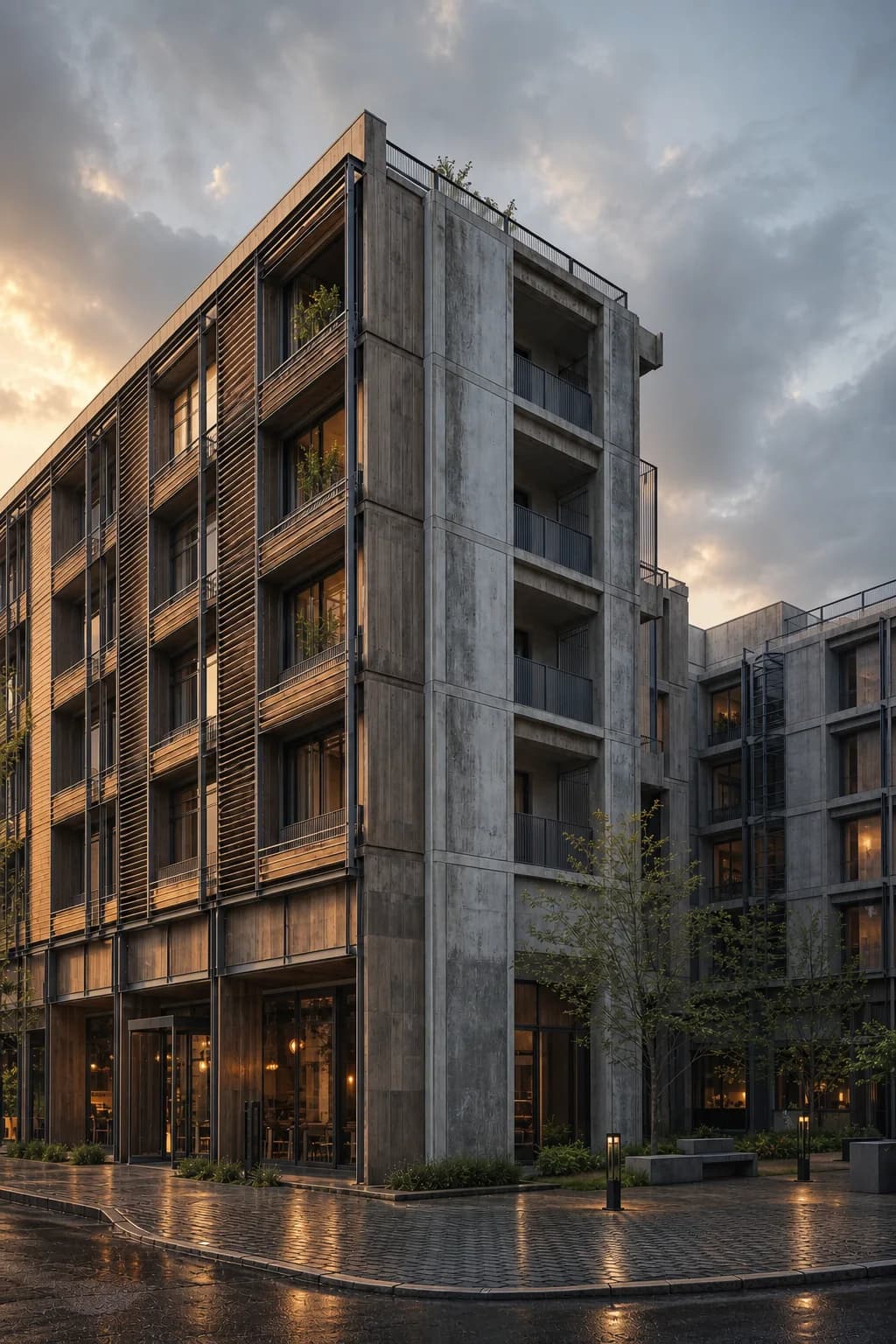
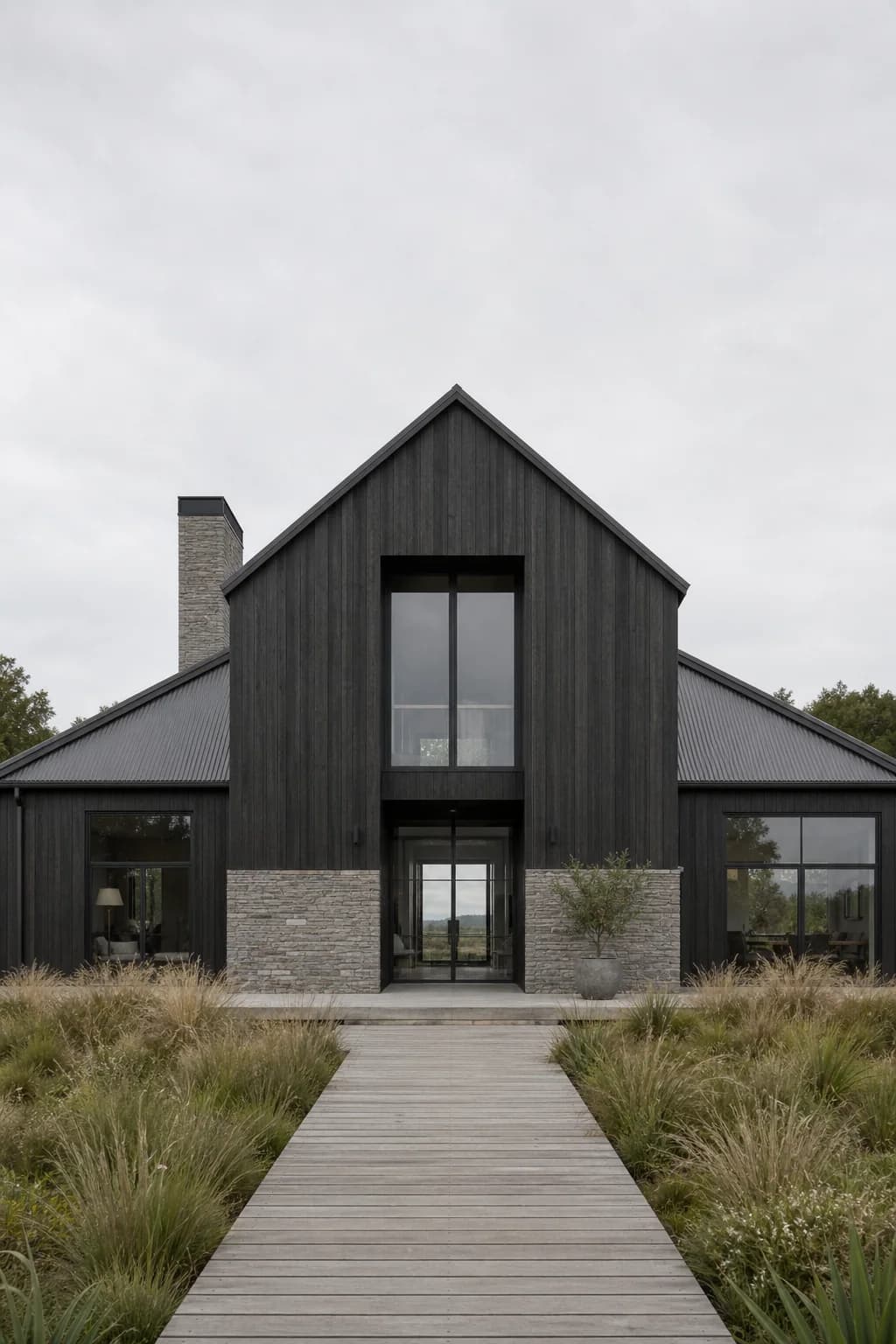
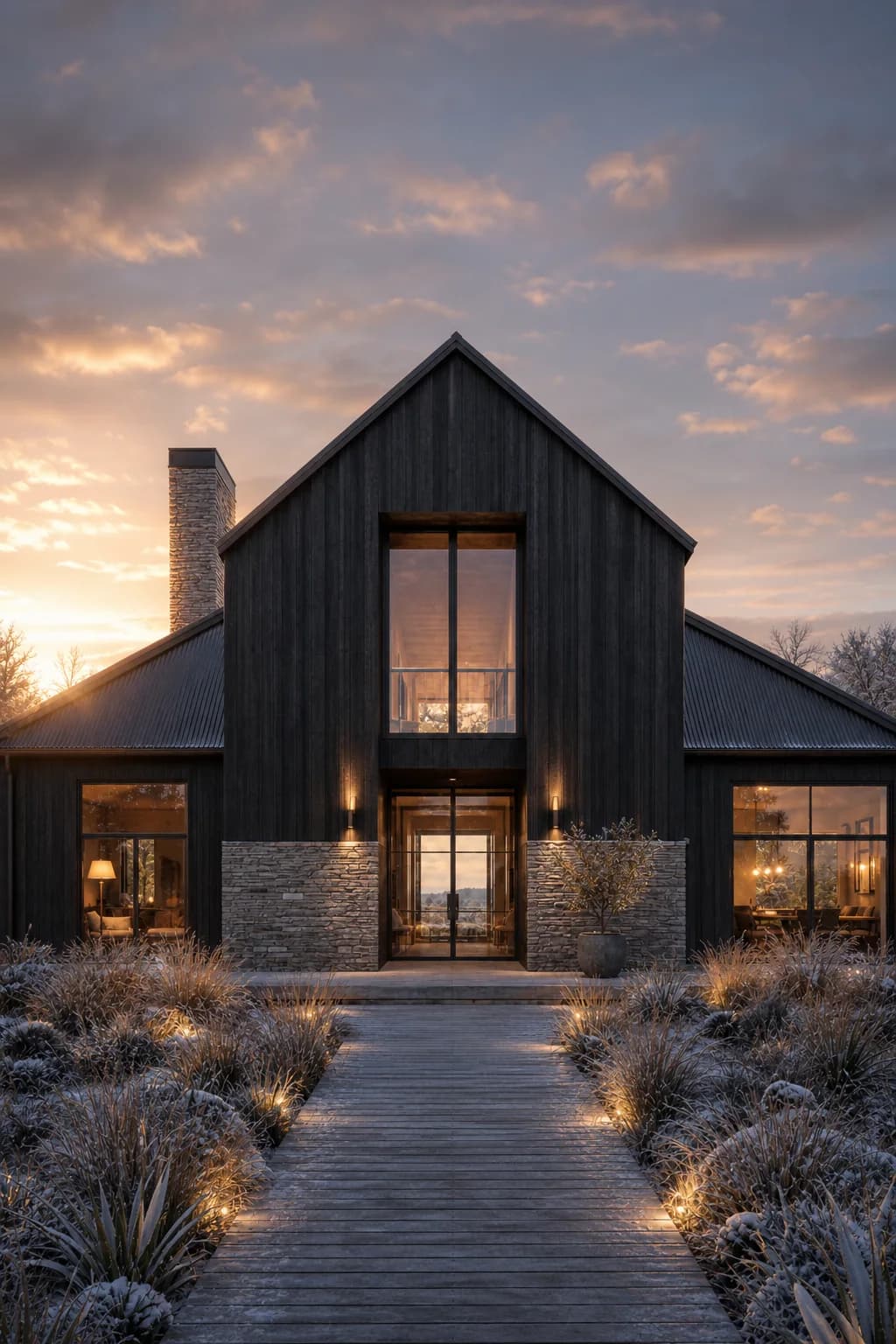
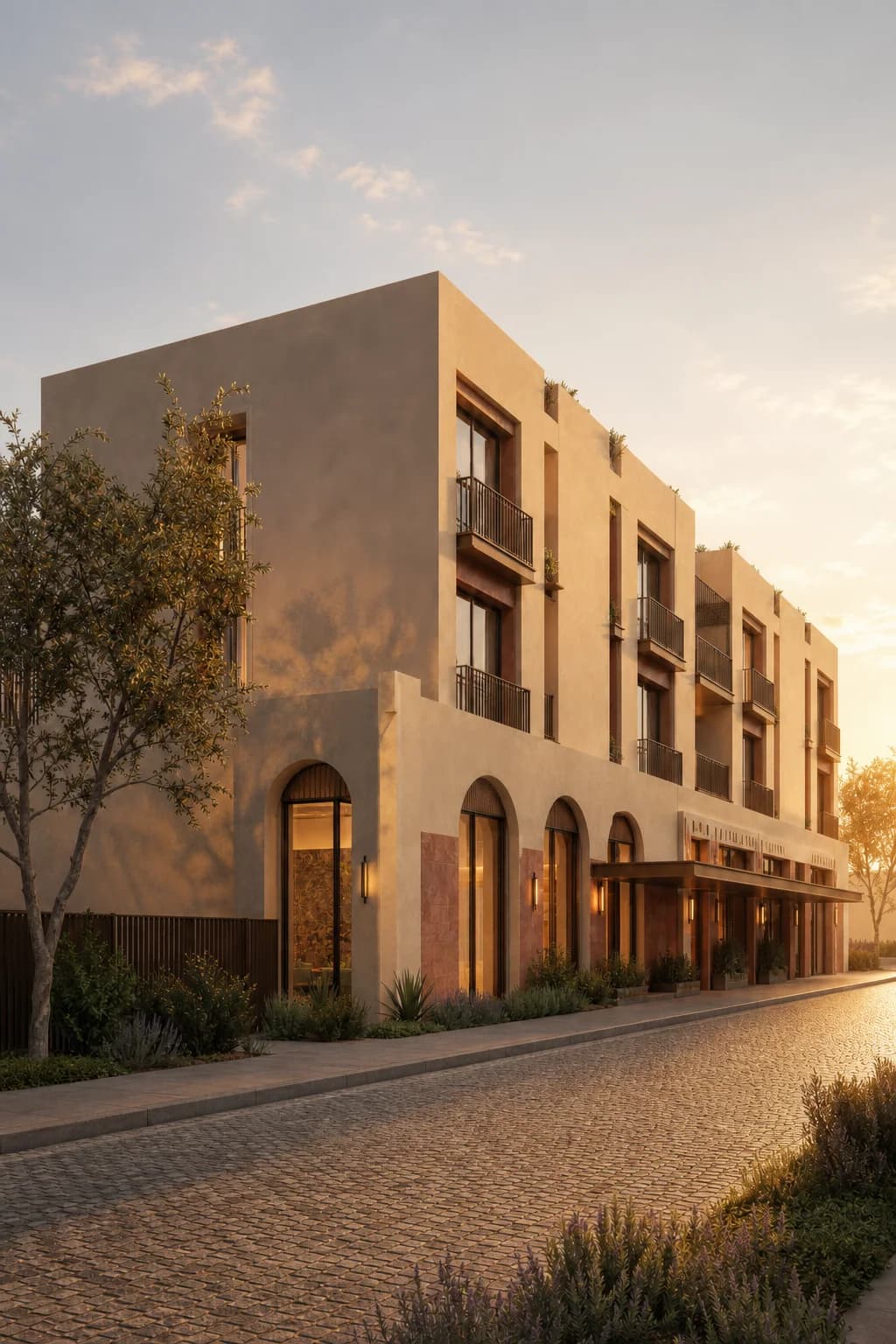
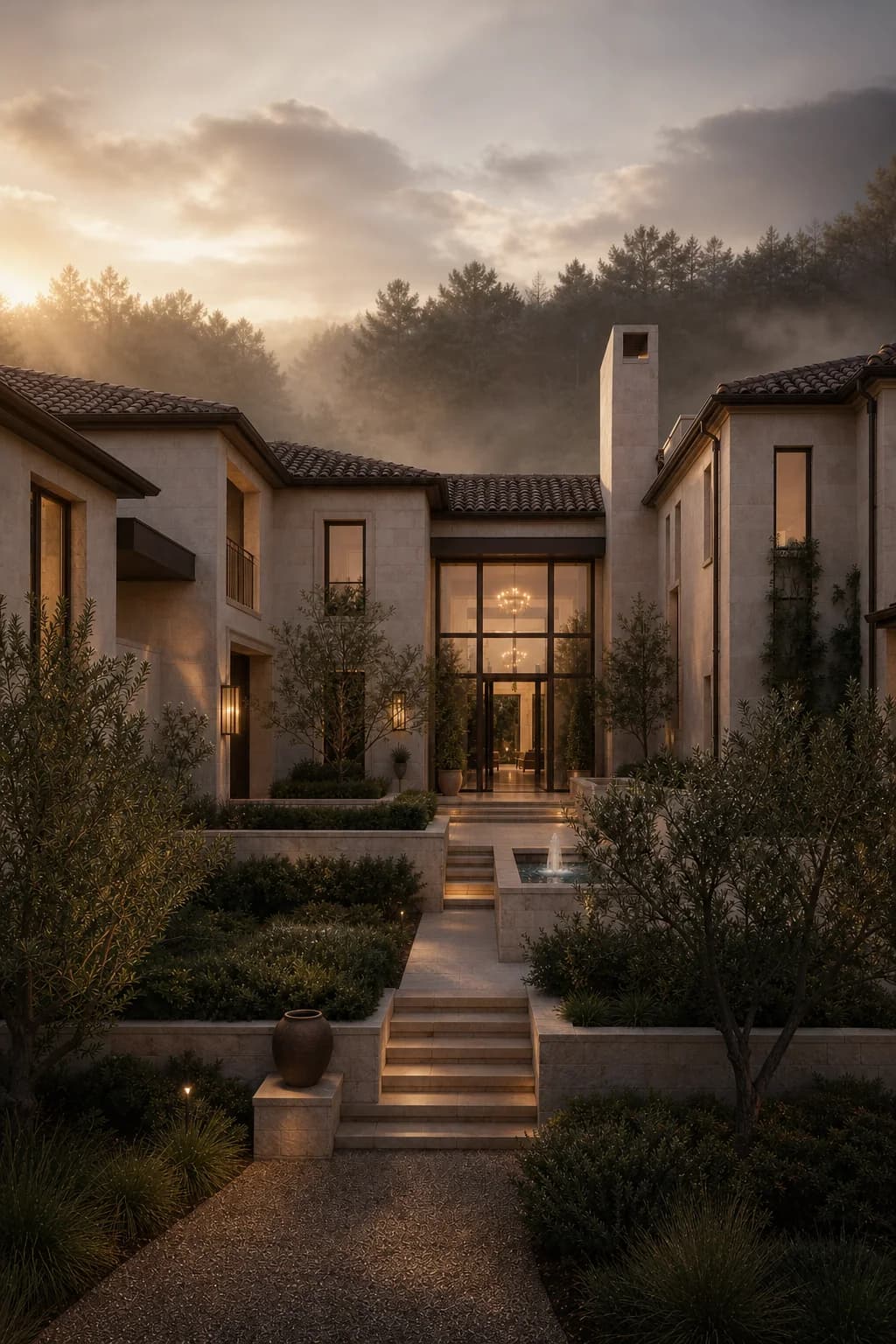
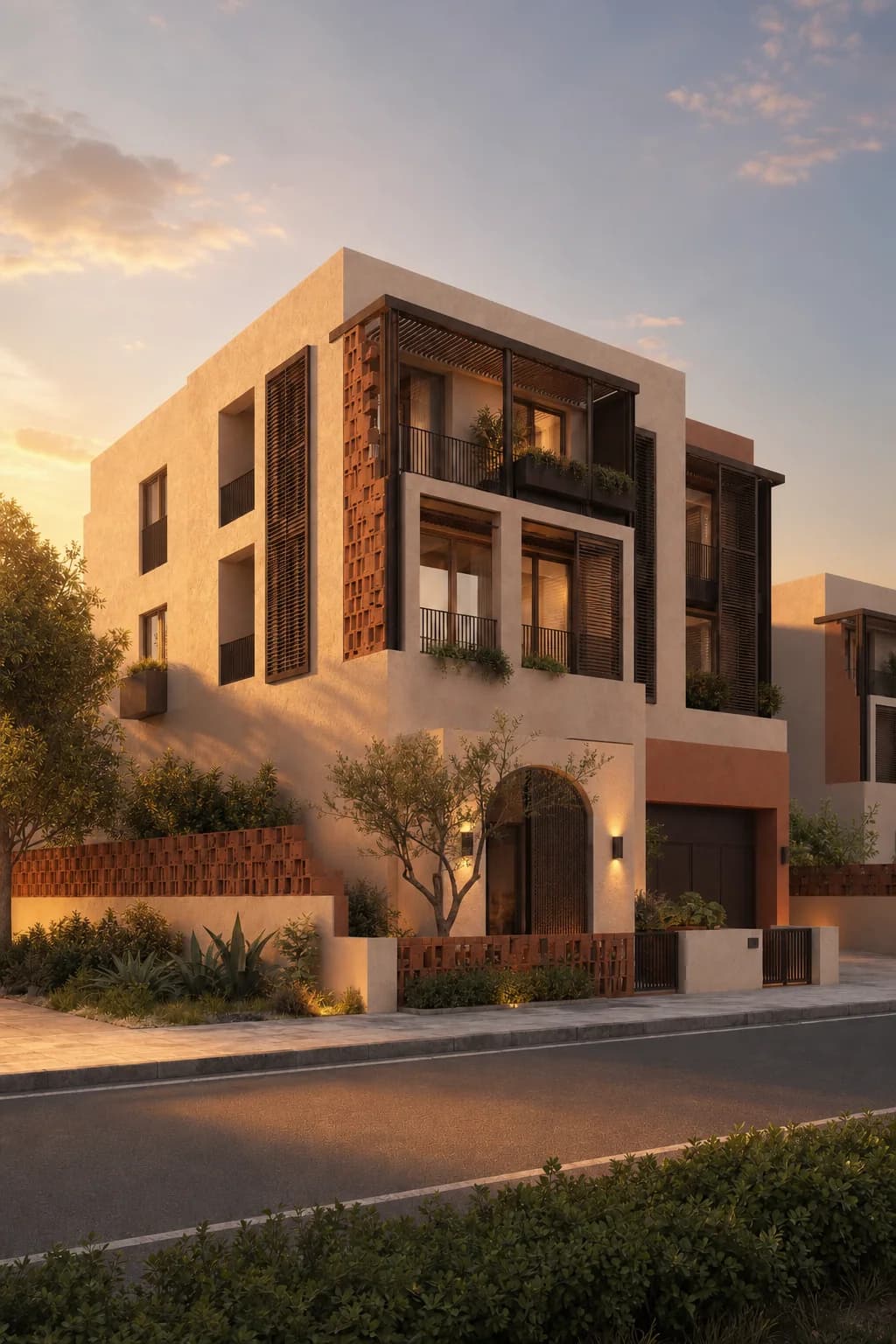
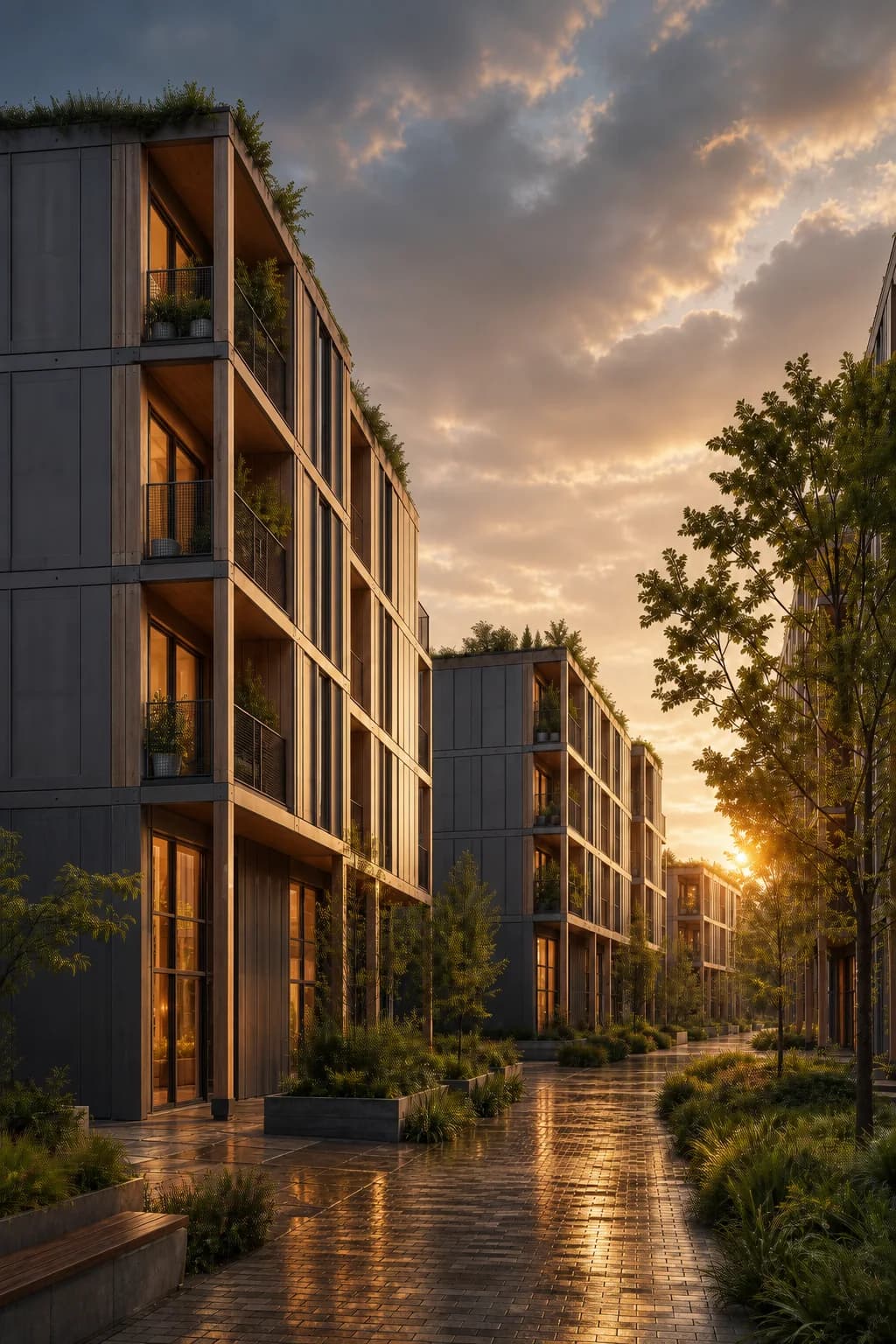
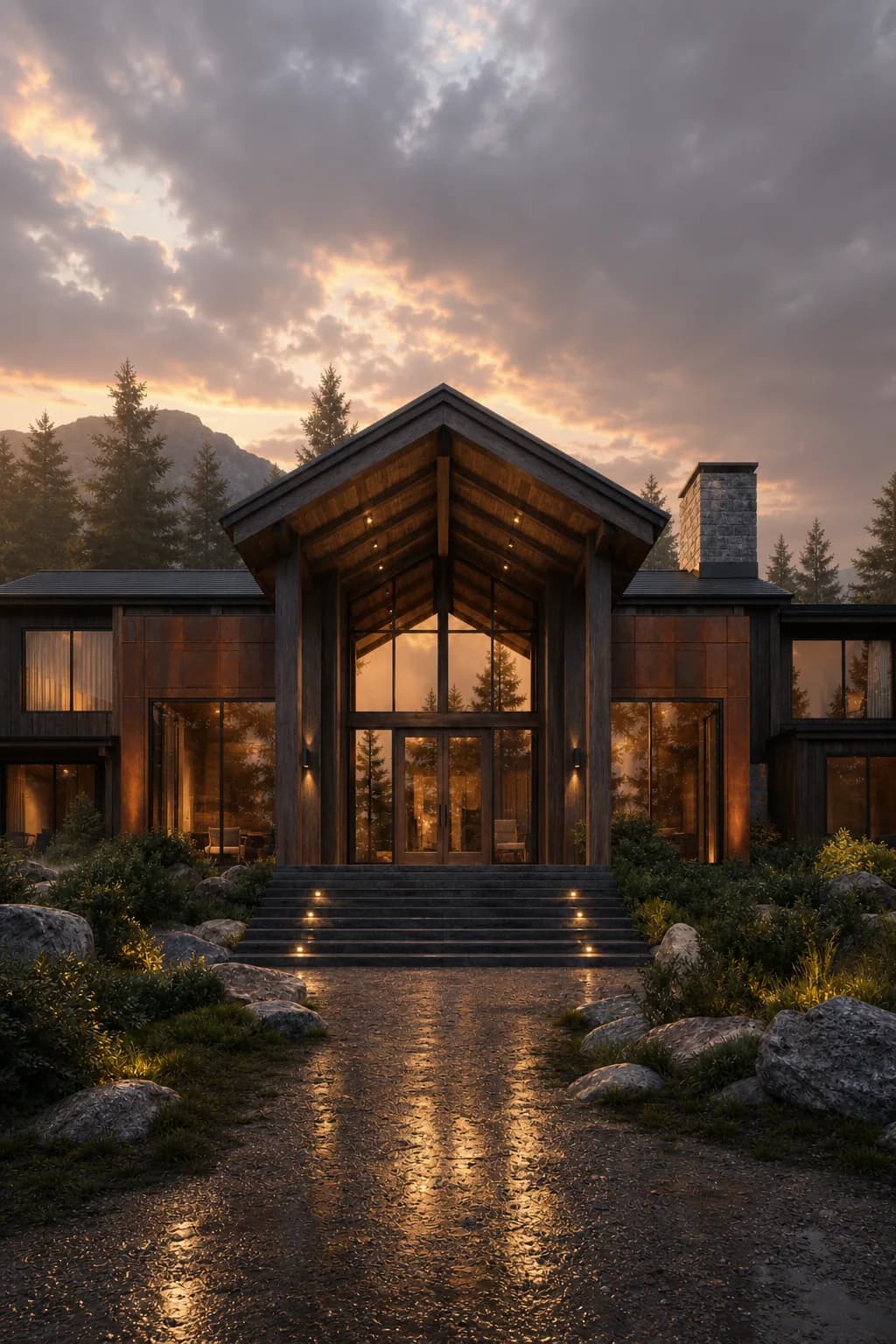
Drag each image to compare the original render with the Light Upgrade result. The geometry and composition stay familiar. The mood changes.
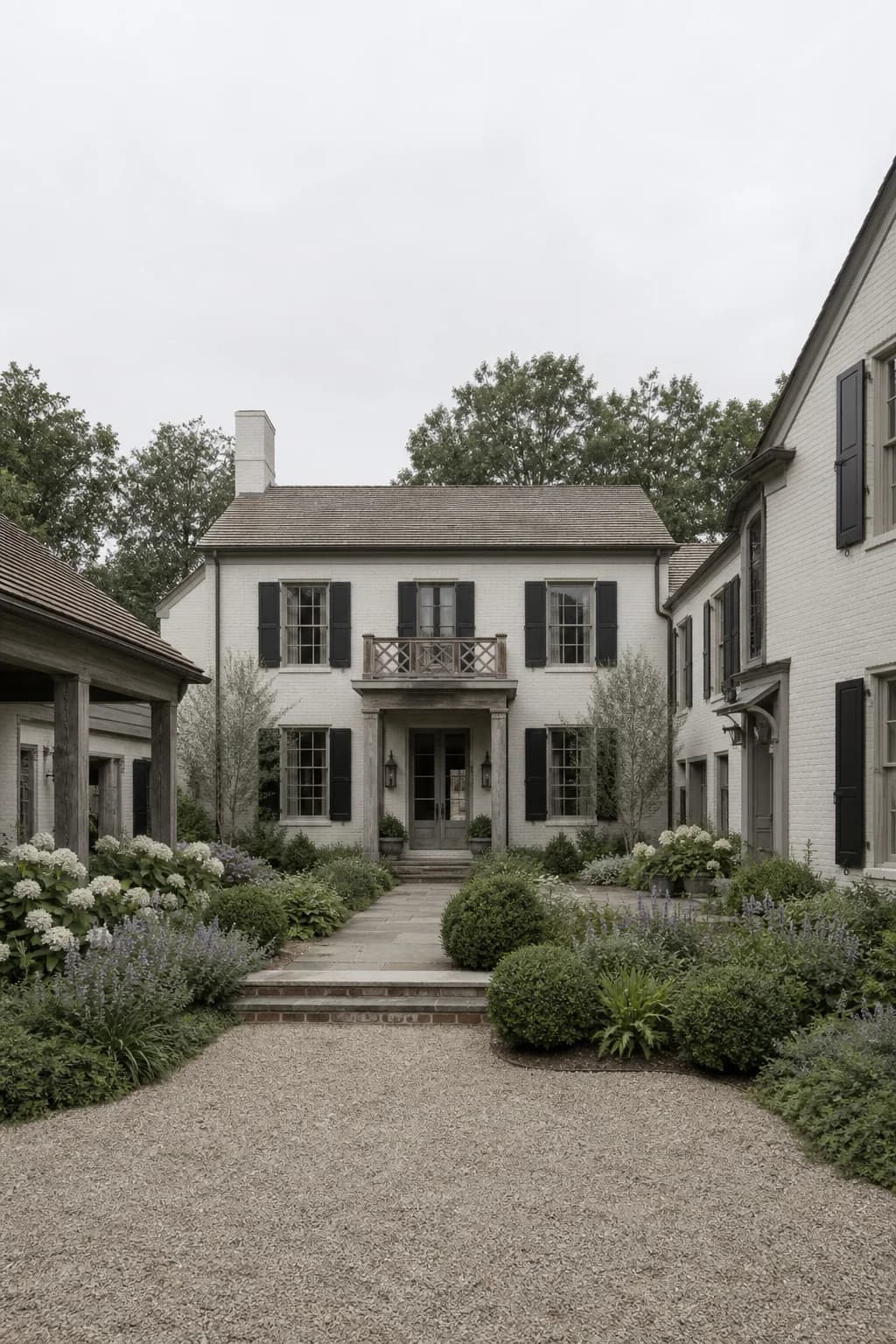
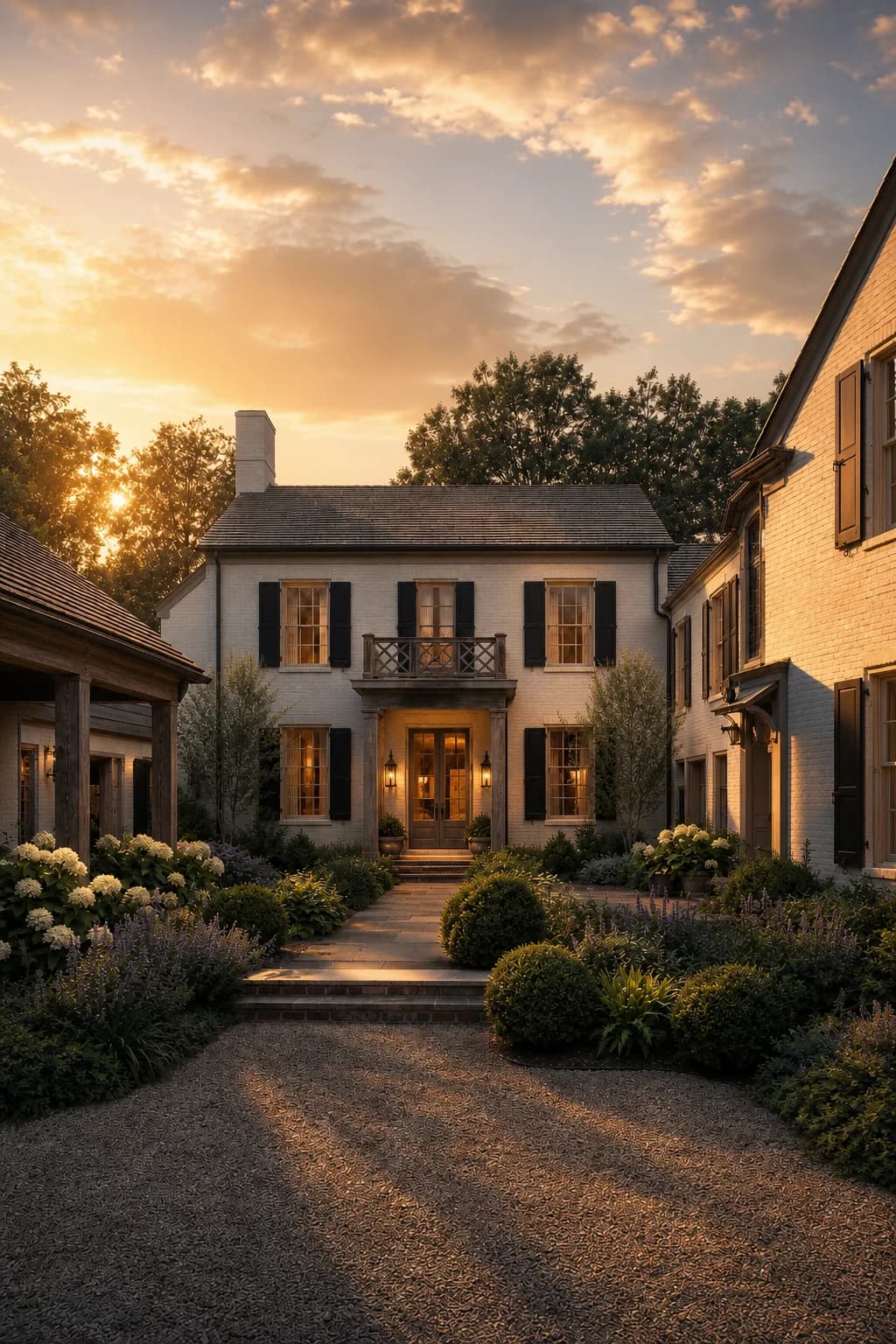
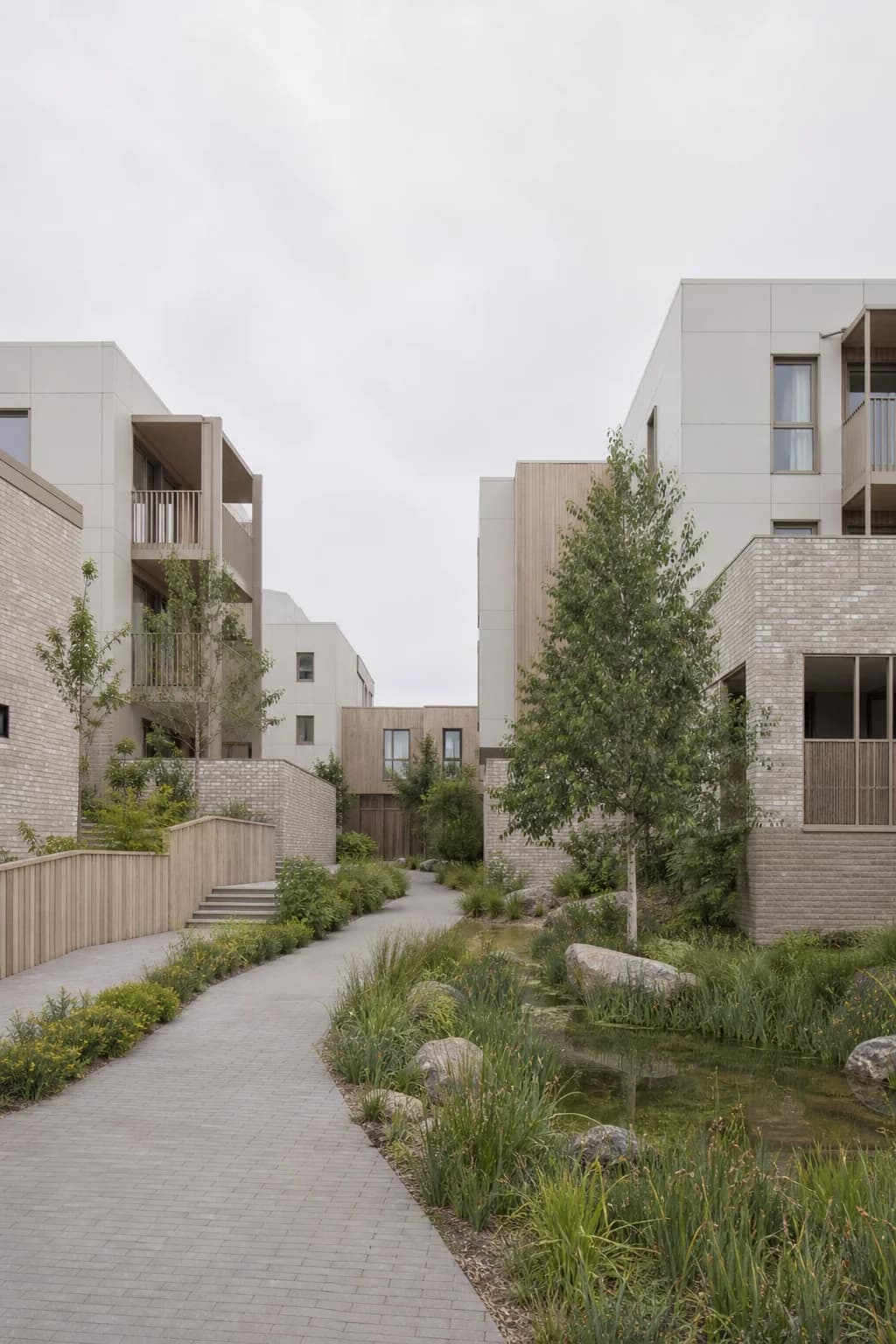
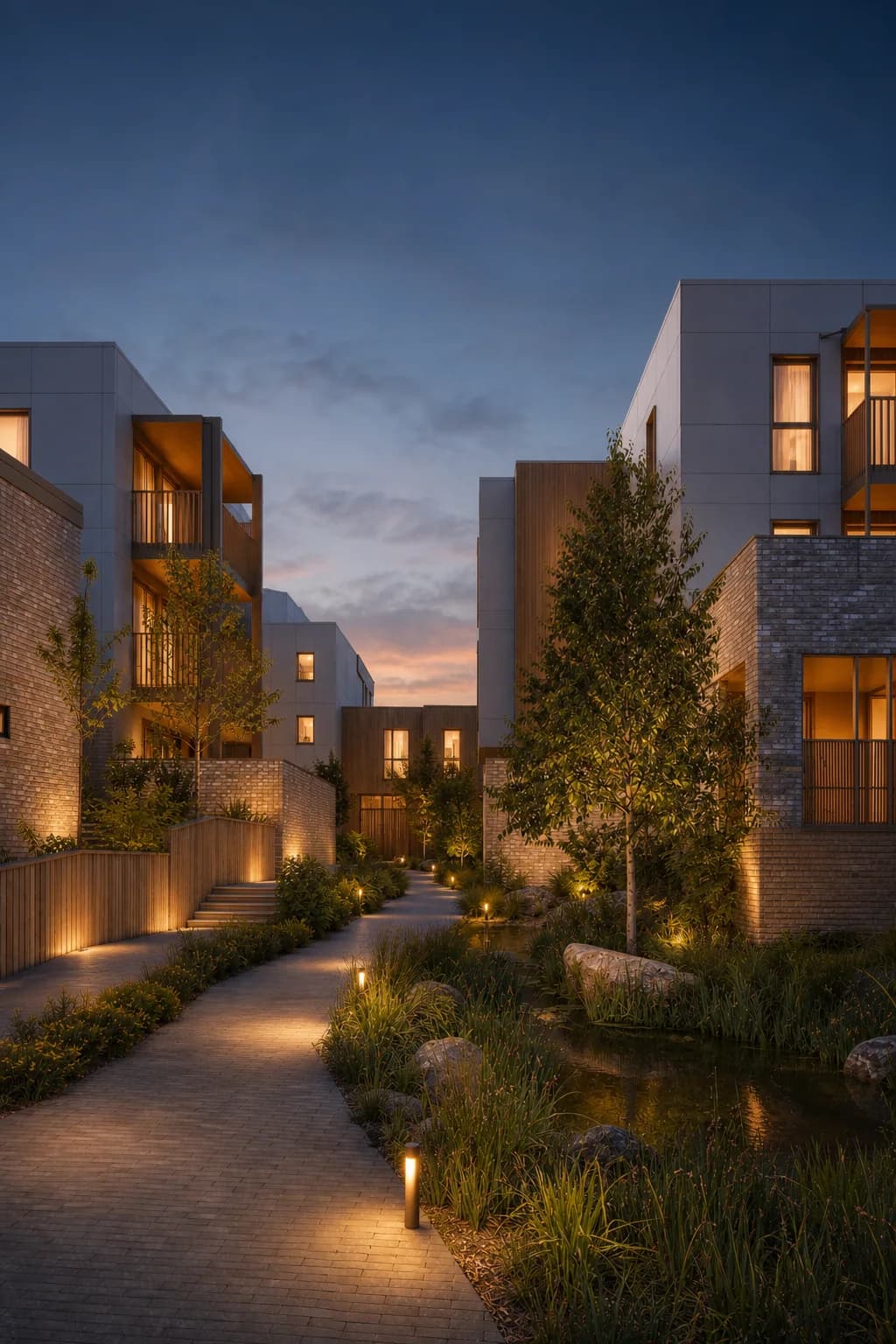
7 lighting upgrades worth trying
- Choose one focal point. Entrance, courtyard, facade rhythm, lobby, terrace, or landscape path. If everything is equally bright, the render has no order.
- Use side light for shape. Low-angle light reveals balconies, columns, frames, texture, and wall depth better than front-facing flat light.
- Keep shadows readable. Shadows make depth, but they should not swallow the design. Lift them enough to preserve detail.
- Warm the inhabited parts. A soft interior glow can make housing, hotels, and lodges feel alive without changing the architecture.
- Separate foreground and background. Use sky value, reflections, planted edges, or path highlights so the building does not blend into everything around it.
- Match light to material. Timber likes warmth. Concrete needs shadow edges. Glass needs reflection and interior depth. Stone needs grazing light.
- Save the direction. When one mood works, reuse it. A project looks more professional when views share the same light logic.
When to use Light Upgrade
How Rendervi Light Upgrade works
Upload the render. Choose a light or mood template. Rendervi analyzes the existing image and generates a new lighting version, usually in less than a minute.
The important part is control. You are not starting from a blank prompt. You are improving a real project image, then comparing the result against the original. If the composition was good, you keep it. If the mood was weak, you change that part.
Traditional render tools already treat relighting as a serious workflow. V-Ray Light Mix, for example, lets artists change light color and intensity after rendering when the scene is set up for it. Light Upgrade brings that same idea closer to everyday architectural images: upload, try a mood, compare, keep moving.
FAQs
Can I improve lighting in an existing architectural render?
Yes. If the camera and design are already good, AI relighting can improve mood, contrast, sky, window glow, reflections, and material depth without rebuilding the render scene.
Why does my render look boring even with good materials?
Usually because the light is too even. Materials need direction, shadow, reflection, and contrast to read well. Without that, good textures can still feel flat.
Do I need to re-render to change the mood?
Not always. Re-render when the model, camera, or lighting accuracy must be physically exact. Use Light Upgrade when you want fast visual options from an existing image.
Will AI lighting change my design?
It can if the source is unclear, so review the result. The safest workflow is to start from a clean render and compare the upgraded image against the original before sharing it with a client.
Try a better light before you re-render
Upload your existing architecture render to Rendervi, choose a Light Upgrade template, and compare a new mood against the original image.
Upgrade render lighting